Quickly split large video files into smaller segments with format support and basic customization options
Quickly split large video files into smaller segments with format support and basic customization options
Vote (3 votes)
Program license Free
Developer Geovid
Version 2.1.0.8
Works under Windows
Vote
(3 votes)
Developer
Geovid
Works under
Windows
Program license
Free
Version
2.1.0.8
Pros
- Supports common video formats (AVI, MPEG, WMV, ASF)
- Easy-to-use interface with quick preset options
- Allows custom segment sizing
- Offers basic video and audio adjustments
Cons
- No support for newer formats like MP4 or MKV
- Lacks additional editing tools (trimming, merging, cropping)
- Outdated interface aesthetics
Efficient freeware for splitting large video files into smaller segments
Overview
VidSplitter is a user-friendly utility designed for breaking down large video files into smaller, more manageable parts. Aimed at users who need to divide videos for easier distribution or storage, the software offers a practical solution without unnecessary complexity. The program caters to a wide range of users, from beginners to those seeking more control over output settings.
Key Features and Usability
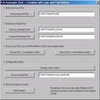
VidSplitter supports popular formats such as AVI, MPEG, WMV, and ASF, making it flexible for various video conversion and splitting needs. The straightforward interface is accessible to users of all experience levels. Simply select the source file, pick your desired output folder, and configure how the video should be split.
VidSplitter presents two main methods for splitting. Users can choose from three presets, ideal for quick jobs, or manually define the segment size to fit specific requirements such as email attachment limits or optical media capacity. This flexibility sets it apart from many competing tools that limit users to fixed profiles.
Basic video and audio customization options are available. Users can select different codecs, tweak the aspect ratio, or adjust other output properties. Advanced users have access to additional settings under the Filter Properties, providing further control over the output quality and format.
Performance
VidSplitter processes large files efficiently, maintaining a balance between speed and output quality. The application handles various file types reliably, with minimal risk of desynchronization between audio and video tracks during the split. CPU and memory usage are generally low, allowing for other tasks to run concurrently on most modern Windows systems.
Limitations
While VidSplitter accomplishes its core task well, it lacks some broader editing capabilities like trimming, cropping, or merging video files. The interface, though clear, is somewhat dated visually compared to newer media utilities. Additionally, support for newer formats such as MP4 or MKV is not included, which may be a drawback for users working with high-definition or modern video files.
Summary
VidSplitter is a practical tool for splitting large video files into smaller parts, particularly suitable for users who value simplicity and efficiency. Its support for multiple formats and degree of customization make it a competitive option for basic splitting tasks, though users needing advanced editing or broader file compatibility may need to look elsewhere.
Pros
- Supports common video formats (AVI, MPEG, WMV, ASF)
- Easy-to-use interface with quick preset options
- Allows custom segment sizing
- Offers basic video and audio adjustments
Cons
- No support for newer formats like MP4 or MKV
- Lacks additional editing tools (trimming, merging, cropping)
- Outdated interface aesthetics